
SSC GD Constable 2026-2027 Photo, Signature & Live Capture Rules: New ssc.gov.in Guidelines & Resizer Guide
Complete official 2026-2027 guide for SSC GD Constable, CGL & CHSL on ssc.gov.in: Live webcam capture tips, Photo (20-50KB with DOP date stamp), and Signature (10-20KB) with instant free resizer.

Authored & Verified by Aaradhya Pathak
Founder, Snab Innovations · Fact-Checked for Official 2026-27 Notification Standards
Dimensions, file size rules, and accepted formats are verified against current SSC, UPSC, NTA, and State PSC guidelines. Zero-server guarantee: images and signatures are processed locally inside your web browser.
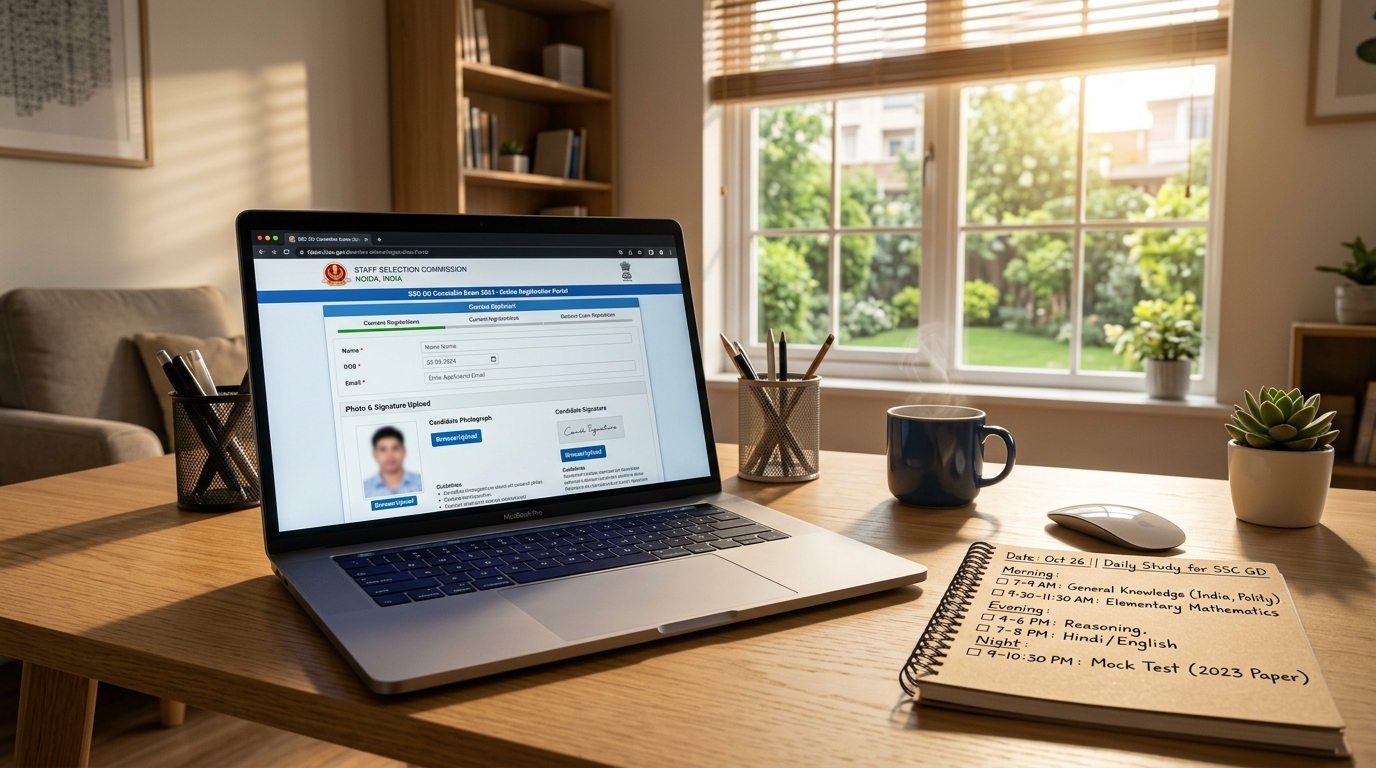
Use Tool Directly in Browser
Your files never leave your browser. 100% free, zero login required.
The Staff Selection Commission (SSC) has commenced the registration cycle for the mega SSC GD Constable (General Duty) 2026–2027 recruitment, offering over 45,000+ vacancies across prestigious Central Armed Police Forces (CAPFs) including BSF, CISF, CRPF, SSB, ITBP, Assam Rifles (AR), and the Secretariat Security Force (SSF).
With more than 50 lakh young aspirants competing from every corner of India, the application rush is unprecedented. However, the launch of the new official commission portal (ssc.gov.in) and the modernized One-Time Registration (OTR) system have introduced stringent new biometric guidelines that have caught thousands of candidates off-guard.
Between the new Live Camera facial capture requirement, mandatory Date on Photo (DOP) stamps, and razor-thin 10 KB to 20 KB signature file limits, even a minor formatting discrepancy leads to automated application rejection.
In this exhaustive reference guide, we examine the official 2026–2027 SSC GD Constable upload directives, provide insider tips to pass the live webcam check on the first try, detail exact signature dimensions, and demonstrate how to format your files effortlessly using FileZenith's free in-browser tools.
Quick Reference Table: Official SSC GD Constable Upload Parameters (2026-2027)#
Bookmark this summary table before logging into your profile on ssc.gov.in:
| Upload Requirement | Prescribed Pixel Dimensions | Physical Measurements | Strict File Size Range | Allowed File Format | Mandatory Visual & Background Rules |
|---|---|---|---|---|---|
| Passport Photograph (Upload) | 100 x 120 px up to 350 x 450 px | 3.5 cm x 4.5 cm | 20 KB to 50 KB | JPG / JPEG | Plain white or light background; Candidate Name & DOP stamped at bottom |
| Live Photo Capture (Webcam / Mobile) | Automated frame match | Screen bounding box | Real-time ingest | Direct browser stream | Front-facing; both ears visible; no caps, spectacles, or masks; well-lit plain background |
| Candidate Signature | 140 x 60 pixels (or 160 x 80 px) | 4.0 cm x 2.0 cm (Horizontal orientation) | 10 KB to 20 KB | JPG / JPEG | Signed on plain white paper with black or dark blue ink; NO block capitals |
⚠️ The 50KB Ceiling Alert: The SSC server upload gateway employs strict byte-count validation filters. If your uploaded photo is 50.4 KB (51,600 bytes) or drops below 19.8 KB, the portal will immediately return an upload error: "Photo size must be between 20 KB and 50 KB".
Mastering the New SSC Live Photo Capture on ssc.gov.in#
A major innovation of the new SSC portal is the integration of real-time browser camera verification. When filling out the OTR or exam application, candidates must take a live photograph using their computer webcam or smartphone camera via the SSC application app.
Thousands of aspirants struggle with recurrent errors like "Face not detected", "Improper lighting", or "Background not plain". Follow these proven rules to clear verification on your first attempt:
1. Position Directly in Front of a Plain White Wall
The algorithmic facial recognition scanner requires high contrast around your silhouette. Stand 3 to 4 feet away from a clean white or light-cream wall. If you stand against a printed curtain, door frame, or cluttered bedroom, the system will reject the capture.
2. Leverage Diffuse Natural Window Lighting
Avoid harsh ceiling tubelights directly overhead, which cast dark shadows under your eyes and nose. Position yourself facing a window during daytime so soft natural light illuminates both sides of your face evenly.
3. Keep Eyes Level with the Camera Lens
Do not look down at your phone screen or tilt your chin upward. Hold the camera at eye level, look directly into the camera lens, keep your mouth closed with a neutral expression, and ensure both ears are clearly visible.
4. Remove Eyeglasses, Caps, and Headphones
Even if you wear prescription spectacles daily, remove them for the live capture. Camera flash and ambient lighting cause glass reflections that block the iris scanner.
Name and Date of Photo (DOPO/DOP) Requirements for SSC#
A distinctive directive of the Staff Selection Commission is the requirement that uploaded passport photos must feature the Candidate’s Full Name and the Date of Photograph (DOP) printed clearly across the bottom section.
Key Rules for the DOP Stamp:
- Recent Photo Mandate: The date stamped on the photograph must be within three months of the notification release date.
- Clear Contrast: The text must be rendered in bold, machine-readable black typography over a clean white lower banner.
- No Facial Obstruction: The text banner must occupy strictly the bottom 15% of the card so it does not cover your chin or neck.
Rather than struggling with complicated mobile editing apps that blur fonts or alter file weights, use FileZenith's dedicated Photo Name & Date Generator. Simply input your name and date, and the tool synthesizes a compliant, publication-ready banner while keeping the file strictly between 20KB and 50KB.
Formatting Your Signature: The 10 KB to 20 KB Challenge#
Signatures account for more than 60% of technical rejections on the SSC portal. The allowable file weight—strictly 10 KB to 20 KB—is exceptionally narrow:
Why Most Smartphone Signature Photos Fail:
- Smartphone cameras capture images at 12 to 50 megapixels (resulting in raw files between 3MB and 12MB).
- Standard online compressors downscale files aggressively, either crushing them below 10 KB (triggering "Signature file size too small") or leaving them above 20 KB.
- Poor indoor lighting produces grayish paper backgrounds with yellow shadows that fail optical readability tests.
How to Fix It with FileZenith in 30 Seconds:
- Sign your name naturally on a clean, unruled sheet of white paper using a black ballpoint pen.
- Take a close-up photo without phone shadows falling across the page.
- Open FileZenith's Signature Resizer (10 to 20KB).
- Our client-side Magic B&W filter automatically strips paper shadows, converts the background to pure
#FFFFFFwhite, and uses iterative binary-search quantization to lock the output safely at 15 KB to 18 KB.
Step-by-Step Guide to Prepare SSC GD Documents on Mobile & PC#
Follow this streamlined workflow to complete your document preparation in under 2 minutes:
[Smartphone Photo] ──> [FileZenith Passport Maker] ──> [Crop 3.5x4.5 cm]
                                                             │
                                                             ▼
                                                [Name & DOP Stamp Generator]
                                                             │
                                                             ▼
                                                [Target 20KB - 50KB JPEG]
- Format Passport Photo: Use the SSC Photo Resizer to crop your portrait to standard 3.5 × 4.5 cm dimensions and compress it safely under 50KB.
- Add Name & Date: Use the Photo Name & Date Generator to append your official details.
- Clean & Crop Signature: Use the Signature Resizer to generate a high-contrast 140×60 px file between 10KB and 20KB.
- Instant Upload: Upload directly to
ssc.gov.inwith 100% confidence of first-attempt acceptance.
Recommended Free FileZenith Utilities for SSC Aspirants#
- SSC Photo Resizer Tool: Pre-calibrated tool for SSC CGL, CHSL, GD Constable, MTS, and CPO applications.
- Signature Resizer 10 to 20KB: Automatic background cleanup and precise byte-size calibration.
- Photo Name & Date Generator: Add candidate name and DOP date banner with crisp typography.
- Government Job Tools Hub: Complete suite of official exam dimension resizers and document formatters.
- Compress PDF to 200KB: Compress category and identity certificates under portal size caps.
Frequently Asked Questions (FAQ) — SSC GD Constable & CGL#
1. What are the official photo and signature dimensions for SSC GD Constable?
The photo must be a recent color passport photograph of 20 KB to 50 KB with dimensions of 3.5 cm width by 4.5 cm height (approx 100x120 pixels to 350x450 pixels) on a plain white background. The signature must be between 10 KB and 20 KB with dimensions of 4.0 cm width by 2.0 cm height (approx 140x60 pixels).
2. Is Date of Photo (DOP) compulsory on the SSC GD photograph?
Yes. Official Staff Selection Commission guidelines require that the photograph must not be older than three months from the notification date, and printing the Candidate Name and the Date of Photograph (DD/MM/YYYY) in a clean lower footer banner is strongly mandated to prevent disqualification.
3. How do I clear the Live Camera photo capture on the new ssc.gov.in portal?
Stand 3 to 4 feet in front of a well-lit, plain white wall during daytime. Look straight into the webcam lens with your eyes level, remove spectacles and caps, ensure both ears are visible, and hold still until the bounding box turns green and captures the frame.
4. Can I wear prescription eyeglasses in my SSC photo?
No. The commission explicitly states that spectacles, sunglasses, tinted glasses, or caps are strictly prohibited in both uploaded photographs and live webcam captures. Glare on lenses obscures pupil coordinates and causes automatic rejection.
5. Why does the portal say "Signature file size must be between 10 KB and 20 KB"?
If your signature file is even 1 byte below 10,240 bytes or 1 byte above 20,480 bytes, the upload server will reject it. Use FileZenith’s Signature Resizer, which locks the file safely between 14 KB and 18 KB.
6. Can I sign with a blue pen for SSC GD applications?
Both black and dark blue ink pens are acceptable on plain white unlined paper. However, black ink is strongly recommended because it produces higher contrast and scans with superior clarity through automated optical filters. Signatures in block capital letters will be rejected.
7. What happens if my SSC application is rejected due to a bad photo?
If your application is rejected at the scrutiny stage, you will not be issued an admit card for the Computer Based Examination (CBT). While SSC occasionally opens a brief 2-day "Application Form Correction Window", it requires an additional fee and is not guaranteed for all exams.
8. Are my sensitive documents and signatures safe on FileZenith?
Yes, 100%. FileZenith operates entirely inside your local browser via WebAssembly and HTML5 Canvas. Your photographs, signatures, and personal exam documents are never sent across the internet, never stored on any remote cloud server, and remain completely private on your device.
Explore Related FileZenith Tools
- Quick Reference Table: Official SSC GD Constable Upload Parameters (2026-2027)
- Mastering the New SSC Live Photo Capture on ssc.gov.in
- Name and Date of Photo (DOPO/DOP) Requirements for SSC
- Formatting Your Signature: The 10 KB to 20 KB Challenge
- Step-by-Step Guide to Prepare SSC GD Documents on Mobile & PC
- Recommended Free FileZenith Utilities for SSC Aspirants
- Frequently Asked Questions (FAQ) — SSC GD Constable & CGL