

How to Compress Image to 50KB for SSC, IBPS & Government Exam Forms
Step-by-step tutorial on reducing passport photo size to under 50KB (within the 20KB to 50KB range) for SSC CGL, IBPS PO, SBI Clerk, and Railway recruitment portals.
Reviewed by FileZenith Editorial Board
Fact-Checked for Official 2026-27 Notification Standards
Dimensions, file size rules, and accepted formats are verified against current SSC, UPSC, NTA, and State PSC guidelines. Zero-server guarantee: images and signatures are processed locally inside your web browser.
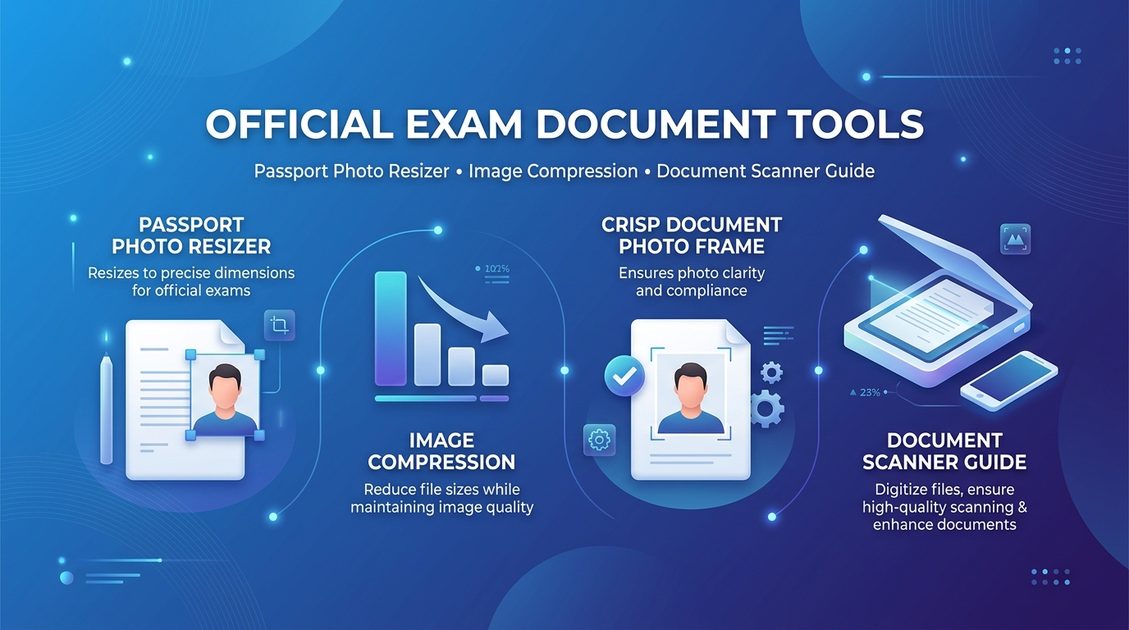
Use Tool Directly in Browser
Your files never leave your browser. 100% free, zero login required.
A 50KB maximum file ceiling is the single most common requirement across major national examinations and recruitment portals in India, including SSC (CGL, CHSL, MTS), IBPS PO & Clerk, SBI, Railway RRB, and State PSCs.
These portals typically specify an exact upload window—most commonly between 20KB and 50KB. If your file is 19KB, it is rejected for low resolution; if it is 51KB, it is blocked for exceeding size limits.
This tutorial guides you through formatting your passport photo to land safely inside the 20KB–50KB bracket (optimally around 40KB–45KB) with crisp image quality.
The 20KB to 50KB Portal Window Explained#
Recruitment portals employ automated file filters during form submission:
- Under 20KB: Triggers "Image resolution too low" error.
- Over 50KB: Triggers "File size exceeds 50KB maximum" error.
- Aspect Ratio Mismatch: Distorts your face on the generated admit card.
Targeting an exact size of 40KB to 45KB gives you the optimal safety margin, ensuring maximum visual fidelity while preventing any rejection.
Recommended Passport Photo Dimensions#
For most government recruitment portals:
- Metric Size: 3.5 cm width × 4.5 cm height
- Digital Resolution (300 DPI): 413 × 531 pixels
- Banking Forms (IBPS/SBI): 200 × 230 pixels (20KB–50KB)
- Face Coverage: 70% to 80% of frame, looking straight forward with both ears visible
3 Steps to Compress Passport Photo Under 50KB#
Step 1: Crop to Frontal Portrait Frame
Before compression, crop out excess background. Your head and upper shoulders should fill roughly 75% of the frame. Ensure the background is plain white or light off-white without harsh facial shadows.
Step 2: Set Dimensions to 413 × 531 Pixels
Resize the canvas to standard 3.5 × 4.5 cm dimensions (413 × 531 px). Maintaining the 7:9 ratio prevents facial stretching or horizontal squashing.
Step 3: Run Binary Search Compression
Using our client-side Compress Image to 50KB Tool, drag and drop your photo. The browser engine will iteratively calculate the quality factor (typically 0.80 to 0.88) to output a 42KB JPEG in under 50 milliseconds.
Common Mistakes to Avoid#
- Uploading Non-White Backgrounds: Many recruitment boards reject photos with colorful, dark, or outdoor backgrounds.
- Overshooting Below 20KB: Applying excessive compression reduces file weight below 20KB, triggering minimum resolution errors.
- Wearing Hats or Dark Sunglasses: Always submit clear photos with eyes open and unshaded.
Frequently Asked Questions (FAQ)#
Why does the portal say "File size out of range"?
Recruitment portals enforce both an upper ceiling (50KB) and a lower floor (20KB). If your photo is compressed too heavily to 18KB, you will receive this error. Aim for 40KB to 45KB.
Photo ko 50KB me kaise convert karein mobile se?
FileZenith ke Compress Image to 50KB Tool me apni photo select karein. Hamara smart algorithm photo ko bina dhundhla kiye exact 40KB se 48KB ke beech save kar deta hai jisse SSC ya railway form me error na aaye.
Kya mobile se li gayi photo 50KB me upload ho sakti hai?
Haan! Safed deewar ke samne straight frontal photo lein. Phir hamare tool se 3.5x4.5 cm me crop karein aur 50KB limit ke andar compress karke download kar lein.
What is the exact photo size required for SSC CGL and CHSL?
SSC mandates passport photographs between 20KB and 50KB, with physical dimensions of 3.5 cm width × 4.5 cm height (approx 413 × 531 pixels) on a plain light background.
Can I compress my photo on mobile without downloading apps?
Yes! FileZenith works directly in Safari, Chrome, and any modern mobile browser without downloading heavy apps or registering an account.
Related Tools & Guides#
- Compress Image to 50KB Tool — Instant 50KB target compressor.
- SSC Photo Resizer — Preconfigured 20-50KB resizer for SSC forms.
- SSC Photo Size Requirements — Official 2026 SSC photo rules and specifications.
- Photo Size & File Size Explained — Demystifying KB, MB, and Pixel dimensions.