

Aadhaar Card Print Size Guide: Exact Dimensions for A4 Paper & PVC Card (85.6 × 54 mm)
Master the exact UIDAI Aadhaar card print size for A4 paper and PVC cards. Learn e-Aadhaar password rules, front-back cropping, and 300 DPI printer settings.
Reviewed by FileZenith Editorial Board
Fact-Checked for Official 2026-27 Notification Standards
Dimensions, file size rules, and accepted formats are verified against current SSC, UPSC, NTA, and State PSC guidelines. Zero-server guarantee: images and signatures are processed locally inside your web browser.
Use Tool Directly in Browser
Your files never leave your browser. 100% free, zero login required.
Whether you are reporting to an all-India competitive exam hall (NEET UG, UPSC Prelims, SSC CGL, IBPS, NDA), verifying your identity at an airport boarding gate, or completing biometric KYC at a bank, having a crisp, correctly dimensioned physical Aadhaar card is an absolute necessity.
Yet, thousands of citizens and students face frantic rejections every month because of simple printing blunders:
"Candidates presenting full A4 sheet printouts without cut-outs, distorted aspect ratios, or illegible QR codes will not be permitted into the examination hall under standard biometric verification protocols."
When you download your official e-Aadhaar PDF from the UIDAI portal, it comes as a long, multi-page document loaded with guidelines, masking disclaimers, and a password-locked wrapper. If you simply click "Print" in a standard PDF viewer, your printer scales it to a massive, awkward half-page paper that doesn't fit into any wallet, or stretches the photo until the biometric barcode becomes completely unreadable by handheld scanners.
In this authoritative guide, we break down the exact official dimensions for both wallet-sized PVC cards and A4 paper sheets, decode the e-Aadhaar PDF password formula, and demonstrate how to crop, align, and print your front and back card perfectly in under 10 seconds using our free in-browser tool.
Official Aadhaar Card Dimensions: The ISO/IEC 7810 Standard#
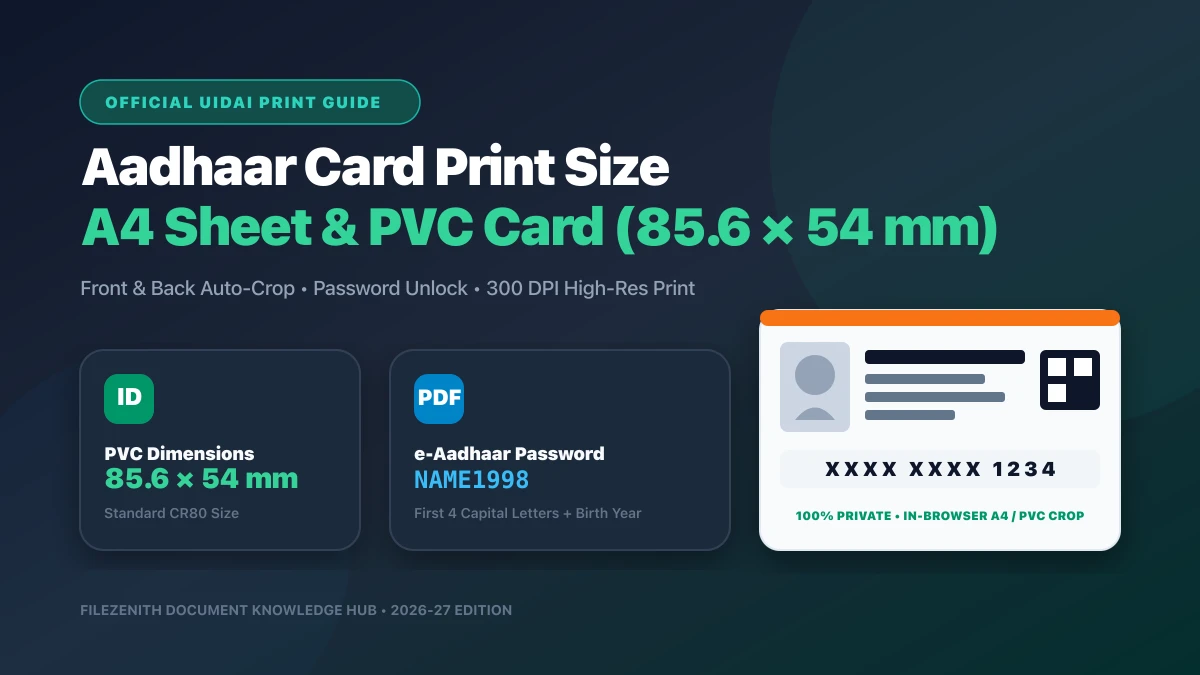
The physical card portion of an official Aadhaar document strictly adheres to the international ISO/IEC 7810 ID-1 standard (also known as the CR80 standard). This is the exact same standardized physical footprint used worldwide for credit cards, debit cards, and national driving licenses.
If you are setting up your photo printer or cutting laminated paper, here is the universal dimension specification matrix:
| Unit of Measurement | Card Width | Card Height | Corner Radius | Recommended Resolution |
|---|---|---|---|---|
| Millimeters (mm) | 85.60 mm | 53.98 mm | 3.18 mm | 300 DPI minimum |
| Centimeters (cm) | 8.56 cm | 5.40 cm | 0.32 cm | 300 DPI minimum |
| Inches (in) | 3.370 inches | 2.125 inches | 0.125 inches | 300 DPI minimum |
| Pixels (@ 300 DPI) | 1011 pixels | 638 pixels | 38 pixels | High-Definition Printing |
| Pixels (@ 600 DPI) | 2022 pixels | 1276 pixels | 76 pixels | Commercial Thermal Dye Sublimation |
Crucial Rule: The width-to-height aspect ratio is approximately 1.586 : 1. Never crop or scale the front and back portions independently using arbitrary drag handles, as doing so alters facial proportions and invalidates document security inspection.
The e-Aadhaar PDF Password Formula Explained#
Before you can view, crop, or print a downloaded e-Aadhaar file, you must unlock the encrypted PDF document. The Unique Identification Authority of India (UIDAI) protects every electronic Aadhaar file with an automated 8-character password.
The universal unlocking formula is: [First 4 Letters of Your Name in CAPITAL] + [4-Digit Year of Birth]
Here are real examples illustrating edge cases:
| Candidate Name on Aadhaar | Year of Birth | Correct PDF Password | Special Rule Applied |
|---|---|---|---|
| Rahul Sharma | 1998 | RAHU1998 | Standard first 4 characters |
| P. Suresh | 2001 | P.SU2001 | Period (.) counts as a valid character |
| Ria Sen | 1995 | RIA 1995 | Space counts if name is only 3 letters |
| MD ALAM | 2003 | MD A2003 | First 4 characters including space |
| KUMAR | 1992 | KUMA1992 | Single name uses first 4 letters |
| ANIL | 2000 | ANIL2000 | Exact 4-letter name + Year |
If your PDF tool fails to unlock, verify that your keyboard Caps Lock is enabled, as UIDAI passwords are strictly case-sensitive.
A4 Sheet Printing vs. PVC Plastic Cards: Complete Comparison#
Depending on whether you need a temporary printout for an upcoming exam or a durable wallet card for daily travel, choose the right media configuration:
| Feature / Metric | A4 Photo Paper (Home / Cyber Café) | Thermal Transfer PVC Card (CSC / Shop) | Official UIDAI PVC Card |
|---|---|---|---|
| Base Material | 180–250 GSM Glossy / Matte Paper | Polyvinyl Chloride (PVC Plastic) | High-Grade Synthetic Polycarbonate |
| Protective Layer | 125–250 Micron Thermal Lamination | Built-in Scratch Resistant Coating | Laser-engraved security hologram |
| Printer Type | Standard Color Inkjet (Epson, Canon, HP) | Thermal Dye Sublimation (Evolis, Zebra) | UIDAI National Security Press |
| Cost | ₹10 to ₹20 per print | ₹50 to ₹100 per card | ₹50 (Ordered online via UIDAI) |
| Turnaround Time | Instant (2 minutes) | Instant (5 minutes) | 7 to 15 business days by Post |
| Acceptance | 100% Accepted across all Indian exams | 100% Accepted for Travel & KYC | 100% Accepted Official Specimen |
| Best Used For | Urgent exam reporting & admission forms | Daily wallet carrying & vehicle checks | Permanent backup document |
How to Crop & Print Front and Back Using FileZenith#
Manually aligning the front and back halves in software like Photoshop or MS Word requires manual ruler measurements and margin calculations. Using the FileZenith Aadhaar Card Print Tool, you can format both sides automatically in your web browser with 100% client-side security:
- Open the FileZenith Aadhaar Card Print Tool.
- Upload your downloaded e-Aadhaar PDF or an image scan of your card.
- If password-protected, enter your 8-character unlock code (
NAME1998). Processing happens entirely in your device's browser memory—your Aadhaar data is never uploaded to any external server. - Choose your desired output layout:
- A4 Sheet (Side-by-Side): Places the front and back cards side-by-side with a convenient center-fold dashed guide line for easy thermal lamination.
- PVC Card (Exact 85.6 × 54 mm): Generates single-side high-resolution PNG/PDF sheets ready for direct feeding into plastic card tray printers.
- Click Generate Print Ready Layout and preview the crisp 300 DPI preview.
- Hit Print or download the consolidated PDF file.
5 Critical Printing Pitfalls That Cause Verification Rejections#
- Ignoring the Aspect Ratio (The "Stretched Face" Error): Many cyber cafés paste card images into Word documents and pull corner handles, distorting facial geometry. Exam invigilators will reject distorted photo ID proof immediately.
- Low-Resolution QR Code Printing: UIDAI's tamper-proof QR code contains encrypted demographic data and biometric hashes. If printed below 300 DPI, handheld QR barcode scanners used by airline CISF guards and exam centers will fail to decode the code.
- Black and White Printing on Normal 70 GSM Copier Paper: While legally valid for basic xerox submissions, fragile, low-grade paper easily smudges when handled in humid exam rooms. Always use at least 180 GSM photo paper or get it laminated.
- Cropping Out the Date of Birth (DOB) or Gender: Ensure the bottom demographic strip containing your full Date of Birth (
DD/MM/YYYY) and Gender is fully captured. An Aadhaar showing only Year of Birth (YYYY) is rejected by UPSC and Passport Seva Kendras. - Over-Laminating with Cheap Pouch Film: Low-quality lamination pouches create air bubbles over the barcode. Always ensure the thermal laminator is pre-heated to 110°C–120°C for crystal-clear bonding.
Real-World Case Study: Avoiding Exam Center Rejection at NEET UG#
Candidate: Ananya Deshmukh, NEET UG Aspirant (Pune, Maharashtra)
Challenge: Ananya needed an original photo ID card for reporting at the NEET examination center. Her original childhood Aadhaar card had an outdated toddler photo, so she updated her biometric photo online and downloaded the new e-Aadhaar PDF.
The Mistake: Her local cyber café printed the full e-Aadhaar PDF page on thin regular bond paper without cropping, leaving the top half of instructions visible and the card portion awkwardly folded. When she showed it to a prep teacher, she was warned that exam invigilators at NTA centers strictly require either the original PVC card or a clean, wallet-sized laminated card showing crisp front-and-back alignment.
The Solution:
- Ananya accessed FileZenith Aadhaar Card Print Tool on her smartphone.
- She unlocked the e-Aadhaar file using her password and selected the A4 Sheet Lamination Layout.
- The tool automatically extracted the front demographic card and back address card, aligning them side-by-side with official 85.6 × 54 mm proportions.
- She printed the sheet on 210 GSM glossy photo paper at a nearby store and sealed it with a 150-micron lamination pouch.
- Center invigilators verified her QR code within 3 seconds using the NTA handheld biometric reader without any questioning.
Frequently Asked Questions (FAQ)#
What is the exact print size of an Aadhaar card in cm and mm?
The standard print size of an Aadhaar card is 85.60 mm in width by 53.98 mm in height (or 8.56 cm × 5.40 cm). This follows the international ISO/IEC 7810 ID-1 credit-card standard.
What is the default password to open an e-Aadhaar PDF file?
The password to open an e-Aadhaar PDF file is an 8-character combination: the first 4 letters of your name in CAPITAL letters, followed immediately by your 4-digit birth year (for example, ANIK1999).
Can I print my e-Aadhaar on normal A4 paper and laminate it?
Yes! A color printout of your e-Aadhaar on heavy photo paper (180–250 GSM) sealed with a thermal lamination pouch has the same legal validity as an official plastic PVC card, as confirmed by UIDAI circulars.
Is e-Aadhaar valid for government exams and flight boarding?
Yes, under Section 4(3) of the Aadhaar Act, a downloaded electronic Aadhaar (e-Aadhaar) carries equal legal validity as the physical printed Aadhaar issued by UIDAI for all government recruitment exams, airports, and bank verifications.
Is it safe to crop and print Aadhaar using FileZenith?
Yes, 100%. FileZenith uses client-side WebAssembly and HTML5 Canvas technology. All PDF decryption, image cropping, and layout rendering happen strictly inside your local device's memory. Your Aadhaar number and personal details are never transmitted over the internet or saved to any database.
Related Identity & Exam Application Tools#
- Aadhaar Card Print Tool — Auto-crop front & back e-Aadhaar to exact 85.6 × 54 mm dimensions.
- Passport Size Photo Maker — Create official 3.5 × 4.5 cm passport photos with custom background colors.
- SSC Photo Resizer — Resize candidate photo to 20–50KB with verified Name and Date stamping.
- Signature Resizer 10 to 20KB — Clean and resize candidate signatures for online exam portals.
- Age Calculator India — Calculate exact age for competitive exam cut-offs down to days and hours.
Explore Related FileZenith Tools
- Official Aadhaar Card Dimensions: The ISO/IEC 7810 Standard
- The e-Aadhaar PDF Password Formula Explained
- A4 Sheet Printing vs. PVC Plastic Cards: Complete Comparison
- How to Crop & Print Front and Back Using FileZenith
- 5 Critical Printing Pitfalls That Cause Verification Rejections
- Real-World Case Study: Avoiding Exam Center Rejection at NEET UG
- Frequently Asked Questions (FAQ)
- Related Identity & Exam Application Tools