
E-Way Bill Login: ewaybillgst.gov.in Portal, Rules, Part A/B Generation & PDF Download Guide (2026)
Master E-Way bill login on ewaybillgst.gov.in. Complete 2026 guide to eway bill generation, intra-state and inter-state threshold limits, Part A/B rules, validity calculation, 2-in-1 print format, and PDF compression under 200KB.

Written by Aaradhya Pathak
Founder, Snab Innovations · Researched against official portal guidelines
Dimensions, file size rules, and accepted formats are verified against official portal notices. Tools on FileZenith process files directly inside your browser memory for complete privacy.
Use Tool Directly in Browser
Your files never leave your browser. 100% free, zero login required.
The E-Way Bill (Electronic Way Bill) is a mandatory compliance document under Rule 138 of the CGST Rules for the transportation of goods across India. Whether you are a GST-registered business owner, manufacturer, trader, e-commerce seller, or third-party transporter, logging into the official eway bill login portal (ewaybillgst.gov.in) and generating a valid e-way bill is essential before moving any consignment valued above the statutory threshold.
With over 8 crore e way bills generated every month, taxpayers frequently encounter portal navigation issues, username/password errors during e way bill login, vehicle update delays, and portal upload file size restrictions when attaching tax invoices.
In this master handbook, we walk you through the complete eway bill login process, statutory monetary thresholds (inter-state vs. intra-state), the difference between Part A and Part B, vehicle number updation, validity rules, and how to print or compress your eway bill PDF under 200KB or 500KB using FileZenith's free, 100% private in-browser tools.
🚚 What is an E-Way Bill (E Way Bill)?#
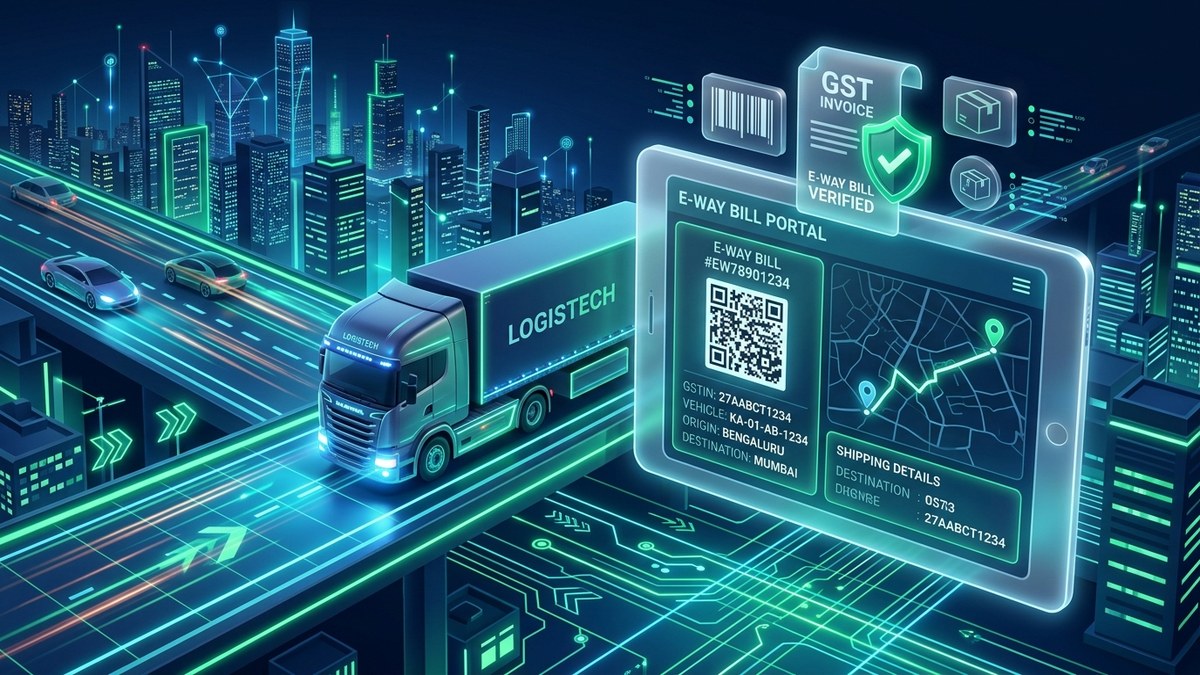
An e-way bill (electronic way bill) is a digital document generated on the national GST portal evidencing the physical movement of goods from one location to another. It contains crucial details including:
- Consignor (Supplier) Details: Name, GSTIN, and dispatch dispatch address.
- Consignee (Recipient) Details: Name, GSTIN, and delivery destination address.
- Goods Description: Harmonized System of Nomenclature (HSN) codes, quantity, and taxable value.
- Transport Details: Transporter name, Transporter ID (TRANSIN), vehicle registration number, and Lorry Receipt (LR) / Railway Receipt (RR) / Airway Bill (AWB) number.
Once generated, the GST portal issues a unique 12-digit E-Way Bill Number (EBN) with a scannable QR code. Tax officers, GST flying squads, and border check-posts verify consignments in real time by scanning this barcode or querying the 12-digit EBN.
🔑 E-Way Bill Login: Step-by-Step Portal Access on ewaybillgst.gov.in#
To generate or manage e-way bills, access the official unified portal administered by the National Informatics Centre (NIC):
👉 Official Portal: https://ewaybillgst.gov.in
Step 1: Open the Official E-Way Bill System Portal
Navigate to ewaybillgst.gov.in on your browser. Never use third-party imitation websites to enter your sensitive GST credentials.
Step 2: Click on the "Login" Button
On the top right corner of the homepage, click the green "Login" button to open the authentication screen.
Step 3: Enter Your Credentials
- Username: Enter your registered E-Way Bill portal username (this can be different from or identical to your GST common portal username depending on how you registered).
- Password: Enter your secure password.
- Captcha Code: Enter the 6-character alphanumeric security code displayed on screen.
Step 4: Complete Two-Factor Authentication (2FA)
If 2FA is activated for your GSTIN, enter the One-Time Password (OTP) received on your registered mobile number or verify via the NIC-GST-Shield mobile authenticator app.
Step 5: Access the E-Way Bill Dashboard
Once logged in, you will land on the main navigation console featuring options for Generate New, Generate Bulk, Update Part-B / Vehicle, Extend Validity, and Print EWB.
[!TIP] Forgot E-Way Bill Password or Username? On the login page, click "Forgot Username" or "Forgot Password". Enter your 15-digit GSTIN, registered mobile number, and captcha. An OTP will be sent to reset your credentials within 2 minutes.
📊 Who Must Generate an E-Way Bill? Mandatory Threshold Limits#
Under GST law, an eway bill must be generated before commencing the movement of goods in the following circumstances:
| Movement Type | Statutory Value Threshold | Who is Responsible? |
|---|---|---|
| Inter-State Movement (Between two different States / UTs) | Consignment Value > ₹50,000 | Registered supplier or transporter |
| Intra-State Movement (Within the same State) | ₹50,000 to ₹1,00,000 (Varies by State) | Registered supplier or recipient |
| Job Work Movement (Inter-State) | Mandatory for ANY value (Even < ₹50,000) | Principal manufacturer or registered job worker |
| Handicraft Goods Transportation | Mandatory for ANY value (Inter-State) | Person exempt from GST registration |
| E-Commerce Deliveries | Consignment Value > ₹50,000 | E-commerce operator or courier agency |
State-Wise Intra-State E-Way Bill Thresholds (2026 Update)
While inter-state movement has a uniform ₹50,000 limit across all of India, individual states have relaxed intra-state limits to ease compliance for small local traders:
- Maharashtra: ₹1,00,000 (Relaxed from ₹50,000 for intra-state movement).
- Delhi: ₹1,00,000 (No e-way bill required within Delhi NCT for consignments up to ₹1 Lakh).
- Uttar Pradesh (UP): ₹50,000 general goods; ₹1,00,000 for select commodities.
- Gujarat: ₹50,000 for taxable items; exemptions for local intra-city transit.
- Bihar: ₹1,00,000 for intra-state non-sensitive goods.
- Tamil Nadu & Karnataka: ₹50,000 standard intra-state limit.
📑 Part A vs Part B of E-Way Bill Explained#
An e way bill is divided into two distinct sections. Understanding both is critical to avoid heavy penalties (up to 200% of tax amount under Section 129 of the CGST Act):
Part A (Consignment Information):
Filled by the supplier or recipient. It locks the transaction data:
- GSTIN of Supplier & Recipient: Valid 15-digit GST numbers.
- Place of Dispatch & Delivery: Pincodes of origin and destination (used by the portal to calculate valid route distance automatically).
- Document Number & Date: Tax Invoice, Bill of Supply, or Delivery Challan number.
- Value of Goods: Taxable value + CGST, SGST, IGST, and Cess.
- HSN Code: Minimum 4 to 6 digits based on turnover.
- Reason for Transportation: Supply, Export/Import, Job Work, SKD/CKD, Line Sale, or Exhibition.
Part B (Transport & Vehicle Details):
Filled by the transporter or the supplier using their own vehicle:
- Vehicle Registration Number: e.g.,
MH12AB1234orDL01XY9876(for road transit). - Transporter Document Number: Lorry Receipt (LR) number, Railway Receipt (RR) number, Airway Bill (AWB) number, or Bill of Lading (for multi-modal transport).
[!IMPORTANT] Generating Part A alone does NOT make an E-Way Bill legally valid for transit! If goods are in physical transit on a truck, both Part A and Part B must be completed. Moving goods with only Part A filled is treated as transporting goods without an e-way bill, leading to truck detention and penalties under GST Rule 138.
📝 Step-by-Step Guide to Generate E-Way Bill Online#
Follow these exact steps once you are authenticated via eway bill login:
- Navigate to E-Waybill Menu: On the left sidebar, click "E-Waybill" ➔ "Generate New".
- Select Transaction Type:
- Choose Outward (if you are selling or sending goods).
- Choose Inward (if you are receiving goods from an unregistered supplier).
- Select Sub-Type: Select Supply, Export, Job Work, or For Own Use.
- Enter Document Details: Select Tax Invoice, enter the Invoice Number and Invoice Date.
- Enter Consignor & Consignee Details: If you enter the buyer's GSTIN, their trade name, address, and state auto-populate from the GST database.
- Enter Item Information: Enter product description, HSN code, quantity, unit, taxable amount, and applicable GST rate (5%, 12%, 18%, 28%). Calculate exact tax splits in advance using FileZenith's GST Calculator.
- Enter Transporter Details & Part B:
- Enter the Transporter ID (if handing over to a transport company).
- OR enter the Vehicle Number (if shipping directly via your own transport).
- Click Submit: Review all fields carefully and click "Submit". The portal generates your unique 12-digit E-Way Bill Number (EBN).
⏱️ E-Way Bill Validity Rules: Distance Calculation & Extension#
The validity of an e-way bill is strictly time-bound based on the total road distance between the dispatch origin and delivery destination:
| Cargo Type | Distance Calculation | Validity Period |
|---|---|---|
| Regular Cargo (Normal Commercial Vehicles) | Up to 200 km | 1 Day (24 hours) |
| Regular Cargo (Additional Distance) | For every additional 200 km (or part thereof) | +1 Additional Day |
| Over Dimensional Cargo (ODC) / Multi-Modal Shipments | Up to 20 km | 1 Day |
| Over Dimensional Cargo (Additional Distance) | For every additional 20 km (or part thereof) | +1 Additional Day |
How to Calculate Validity Window:
- Example: A consignment moving from Mumbai to New Delhi (~1,450 km):
- First 200 km = 1 day.
- Remaining 1,250 km = 1,250 / 200 = 6.25 ➔ 7 additional days.
- Total Validity = 8 Days.
- Expiry Time: An e-way bill expires at midnight (12:00 AM) of the final valid date.
How to Extend E-Way Bill Validity Before Expiry:
If a truck breaks down, faces a traffic blockade, or experiences transshipment delays:
- Log in to
ewaybillgst.gov.in. - Click "E-Waybill" ➔ "Extend Validity".
- Enter the 12-digit E-Way Bill Number.
- Validity extension can only be requested within 8 hours before expiry or within 8 hours after expiry.
- Update the new vehicle number, reason for delay, and remaining distance.
🖨️ How to Print E-Way Bill in 2-in-1 Format & Save as PDF#
After generating an e-way bill, truck drivers must carry either a physical printed copy or a digital PDF on their mobile devices:
- Access the Print Screen: On the portal dashboard, select "E-Waybill" ➔ "Print EWB".
- Enter EWB Number: Input the 12-digit number and click "Go".
- Choose Print Layout:
- Detailed Print: Full A4 page showing all line-item HSN codes, invoice breakup, and transporter history.
- Print (Standard): Compact single-sheet format with official QR code.
- Save as PDF: Press
Ctrl + P(orCmd + Pon Mac), change the destination printer to "Save as PDF", and save the file to your computer.
🗜️ How to Compress E-Way Bill & Invoice PDF Under 200KB / 500KB#
When filing GST returns (GSTR-1, GSTR-9), submitting claims for GST refunds (RFD-01), or uploading shipping documents to customs ICEGATE and ERP portals (SAP, Tally, Zoho Books), portals enforce strict upload file size caps of 200KB or 500KB.
Scanned e-way bills with lorry receipts often weigh between 2MB and 8MB, causing portal errors like "File size exceeds 500KB limit".
Step-by-Step PDF Compression with FileZenith:
- Open FileZenith's Compress PDF to 200KB or Compress PDF to 500KB.
- Drag and drop your generated e-way bill or invoice PDF.
- Because FileZenith executes 100% locally in your browser RAM, your company's sensitive commercial invoices, trade pricing, and customer GSTINs are never uploaded to remote servers.
- The smart WebAssembly engine resamples heavy scanned stamps and signatures while preserving barcode and QR code clarity for GST inspectors.
- Click Download PDF to get a razor-sharp, compliant document under 200KB or 500KB instantly.
Need to attach the tax invoice and lorry receipt together? Use FileZenith's Merge PDF tool to combine all dispatch files into a single compliant master PDF before compressing.
❌ How to Cancel or Modify an E-Way Bill#
- Cancellation Window: An e-way bill can only be cancelled within 24 hours of generation.
- Condition: It cannot be cancelled if it has already been verified in transit by a GST officer.
- Steps to Cancel:
- Log in to
ewaybillgst.gov.in. - Select "E-Waybill" ➔ "Cancel".
- Enter the 12-digit E-Way Bill number.
- Select the cancellation reason: Order Cancelled, Data Entry Mistake, or Duplicate Generation.
- Click Submit.
- Log in to
[!WARNING] An e-way bill cannot be edited once submitted. If you made an error in the taxable value, GST rate, or consignee GSTIN, you must cancel the e-way bill within 24 hours and generate a fresh one with the correct invoice details.
❓ Frequently Asked Questions (FAQ)#
What is the official website for E-Way Bill login?
The only official portal for E-Way Bill generation and management across all Indian states is https://ewaybillgst.gov.in, developed by the National Informatics Centre (NIC).
Is an E-Way Bill mandatory for goods below ₹50,000?
No, for general commercial shipments, an e-way bill is not required if the consignment value is ₹50,000 or less. However, it is mandatory regardless of value for inter-state transportation of goods for job work and handicraft goods transported by exempt dealers.
What is the difference between Part A and Part B of an e-way bill?
Part A contains consignment details including supplier and recipient GSTINs, dispatch address, invoice number, value of goods, and HSN codes. Part B contains transportation information including the vehicle registration number or transporter receipt number (LR/RR/AWB). Both parts must be completed for an e-way bill to be legally valid during physical transit.
How long is an e-way bill valid?
For regular cargo, validity is 1 day for distances up to 200 km, plus 1 additional day for every subsequent 200 km (or part thereof). For Over Dimensional Cargo (ODC), validity is 1 day for distances up to 20 km, plus 1 additional day for every subsequent 20 km.
Can I extend the validity of an e-way bill after it expires?
Yes. You can extend an e-way bill validity within 8 hours before its expiration or within 8 hours after its expiration on the official portal under the "Extend Validity" menu.
How can I compress an e-way bill PDF under 200KB for portal uploads?
Upload your e-way bill PDF to FileZenith's Compress PDF to 200KB tool. It optimizes fonts and compresses scanned images locally inside your browser, keeping your trade secrets private while producing a crisp, verifiable PDF strictly under the portal size cap.
Can an e-way bill be edited after generation?
No. An e-way bill cannot be edited once generated. If there is a mistake in invoice value, recipient GSTIN, or HSN, you must cancel it within 24 hours and generate a new e-way bill. However, you can update Part B (vehicle number and transporter) at any time during transit.
Explore Related FileZenith Tools
- 🚚 What is an E-Way Bill (E Way Bill)?
- 🔑 E-Way Bill Login: Step-by-Step Portal Access on ewaybillgst.gov.in
- 📊 Who Must Generate an E-Way Bill? Mandatory Threshold Limits
- 📑 Part A vs Part B of E-Way Bill Explained
- 📝 Step-by-Step Guide to Generate E-Way Bill Online
- ⏱️ E-Way Bill Validity Rules: Distance Calculation & Extension
- 🖨️ How to Print E-Way Bill in 2-in-1 Format & Save as PDF
- 🗜️ How to Compress E-Way Bill & Invoice PDF Under 200KB / 500KB
- ❌ How to Cancel or Modify an E-Way Bill
- ❓ Frequently Asked Questions (FAQ)