

How to Remove Background from Image Free in HD (No Watermarks, 100% In-Browser Privacy)
Discover how to instantly remove backgrounds from portraits, e-commerce product photos, and graphics in full HD resolution without paid subscriptions, watermarks, or cloud uploads.
Reviewed by FileZenith Editorial Board
Fact-Checked for Official 2026-27 Notification Standards
Dimensions, file size rules, and accepted formats are verified against current SSC, UPSC, NTA, and State PSC guidelines. Zero-server guarantee: images and signatures are processed locally inside your web browser.
Use Tool Directly in Browser
Your files never leave your browser. 100% free, zero login required.
Almost every online creator, business owner, and digital marketer has experienced the infamous background remover "bait-and-switch":
You search Google for a free background remover, upload your product photo or team headshot, watch the tool create a clean cutout, and then click Download—only to be told:
- "Free download is restricted to blurry low-resolution (640x480 preview)."
- "To download in original high-definition (HD), subscribe for $19.99/month or purchase 5 credits."
- Or worse, the tool stamps a giant watermark right across your image.
Furthermore, commercial tools upload your private photography, company product prototypes, or family portraits to external cloud servers, which raises serious confidentiality concerns.
In this guide, we show you how to remove image backgrounds with pixel-perfect edge detection in full HD resolution using FileZenith AI Background Remover—completely free, with zero sign-up required, and 100% processed on your local device.
The Secret: Browser-Based Neural Segmentation (WebAssembly & WebGPU)#
Traditional background removal web apps rely on expensive cloud server farms with high-end GPUs. Because running servers costs money, those companies must limit free users to low-resolution previews or demand monthly subscriptions.
FileZenith uses a modern architecture: Instead of sending your images over the Internet, our modern neural network model runs directly inside your web browser via WebAssembly and hardware-accelerated WebGPU.
Why This Matters for You:
- Full HD Resolution Retained: Because the processing utilizes your device's own graphics processor, there are no cloud bandwidth costs. You get full 4K, 8K, or 300 DPI exports for free.
- Absolute Confidentiality: Your private photographs, unreleased product designs, and corporate IDs never leave your computer or phone.
- Zero Watermarks & Unlimited Use: Cut out 5 images or 500 images—there are no credit limits, countdown timers, or hidden fees.
Comparison: Commercial Cloud Tools vs. FileZenith Client-Side AI#
| Feature | Commercial SaaS Tools (Remove.bg / Canva Pro) | FileZenith Free In-Browser AI |
|---|---|---|
| HD Download Cost | Paid Credits ($0.20 to $1.99 per image) | 100% Free Forever |
| Maximum Resolution | 0.25 Megapixels (Free tier) | Original Full Source Resolution (HD / 4K) |
| Privacy & Security | Photos uploaded to remote cloud servers | 100% Local (Zero-Server Processing) |
| Watermark Policy | Watermarked on free tier | Never any watermarks |
| Fine Hair & Alpha Masking | Good | High Precision Edge Refinement |
| Account Creation | Mandatory email / credit card registration | No sign-up or login required |
3-Step Walkthrough: Removing Backgrounds in Seconds#
Step 1: Open the Background Remover Tool
Head over to the FileZenith AI Background Remover. Drag and drop your image (JPEG, PNG, or WEBP) into the canvas, or click Choose Image.
Step 2: Automatic Foreground Extraction
The client-side neural network automatically analyzes pixel gradients, detects subjects (people, cars, products, pets, or signatures), and separates foreground elements with a high-fidelity alpha transparency mask.
Step 3: Choose Your Background & Export
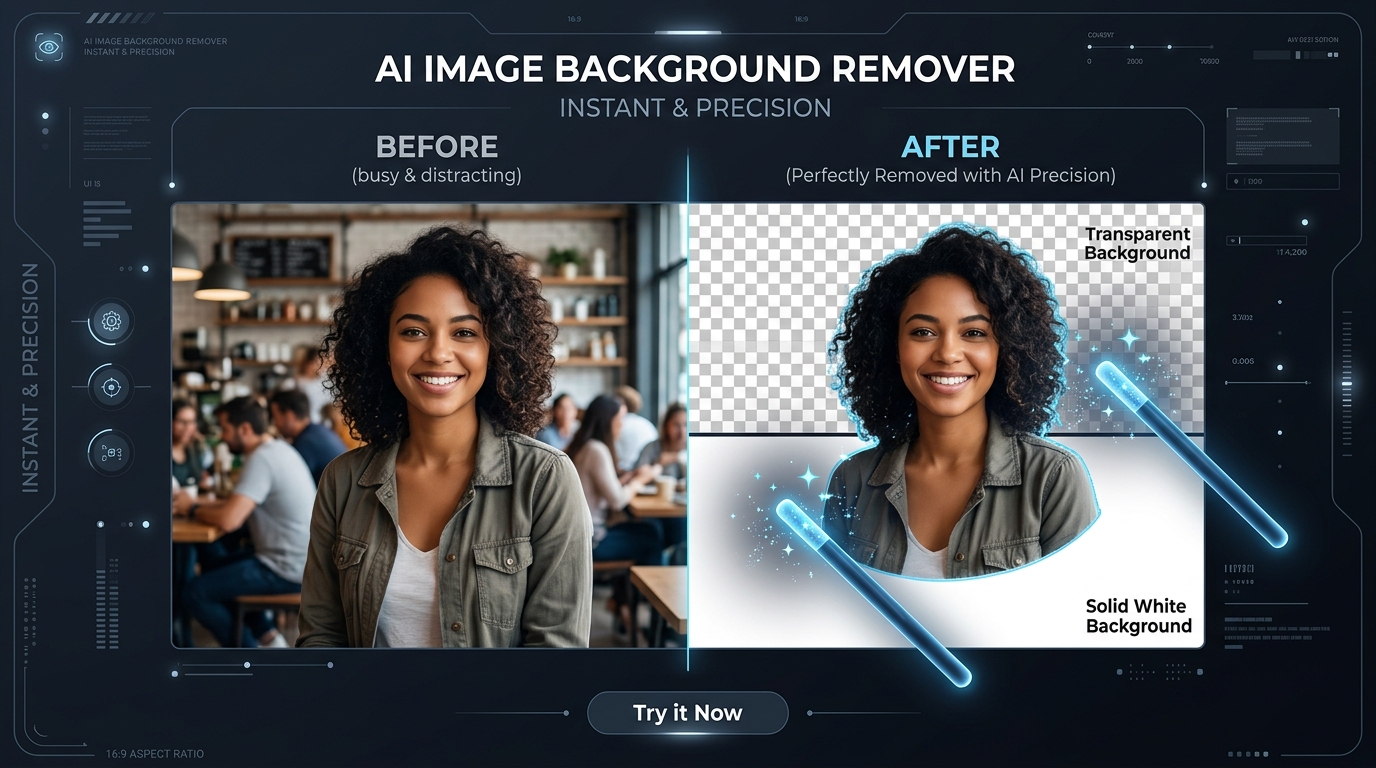
- Transparent PNG: Ideal for graphic design, logos, YouTube thumbnails, and presentation slides.
- Pure White Background (RGB 255, 255, 255): Required for e-commerce marketplaces like Amazon, eBay, Shopify, and Flipkart.
- Custom Color or Gradient: Pick any custom HEX color code to create vibrant marketing banners.
Click Download High-Res PNG to save your pristine, transparent image instantly.
Pro Tips: Handling Flyaway Hair, Jewelry & Glass Reflections#
Intricate edges like curly hair, semi-transparent glassware, and delicate jewelry are notoriously challenging for automated cutouts. Follow these three pro strategies to get studio-grade results every time:
- Maximize Subject-to-Background Contrast: When shooting photos, avoid wearing a white shirt against a white wall. The greater the color contrast between foreground and background, the crisper the edge segmentation.
- Crop Away Unnecessary Elements First: If your photo has clutter in the corners (like lamps, furniture, or passing pedestrians), use our Image Cropper Tool before removing the background. This concentrates the neural attention on the main subject.
- Format for Product Listings: Once you isolate your product on a white background, use our Image Resizer to standardize your catalog to 2000 x 2000 pixels (1:1 square ratio) for optimal Amazon zoom functionality.
Real-World Case Study: E-Commerce Store Catalog Overhaul#
Merchant: Apex Gear (Outdoor Equipment Retailer)
Challenge: The team needed to photograph and list 140 new outdoor backpacks and camping tools for their Shopify catalog. Studio quote for background removal: $280 with a 72-hour turnaround.
Action: Using FileZenith's Background Remover, the team processed all 140 photos in a single afternoon directly inside Google Chrome.
Result: Crisp, 3000x3000px transparent PNGs with realistic strap shadows, ready for immediate Shopify publication at zero cost, saving $280 and three business days.
Frequently Asked Questions (FAQ)#
Is this background remover truly free without quality limits?
Yes! You can process as many images as you want at original camera resolution without paying fees, purchasing credits, or dealing with forced compression.
Photo ka background kaise hataye online bina kisi app ke?
Photo ka background hatane ke liye FileZenith ke Background Remover tool par jaayein. Apni photo upload karein—kuch hi seconds me AI background ko automatically delete kar ke transparent PNG bana dega. Aap chahein toh white background bhi select kar sakte hain aur HD quality me download kar sakte hain.
How do I make my product photo background pure white for Amazon?
Amazon requires main product images to have a 100% pure white background (RGB 255, 255, 255). In FileZenith's Background Remover, select the cutout subject and choose the Solid White background color preset before exporting your JPEG or PNG.
What image formats are supported?
FileZenith supports all major image formats, including JPG, JPEG, PNG, WEBP, and BMP. You can also export your final cutout as a transparent PNG or high-quality JPEG.
Can I remove background from scanned signatures for online forms?
Yes! Upload your scanned pen-and-paper signature to remove the paper background, then use our dedicated Resize Signature Online tool to scale it to the exact file size and dimensions requested by job recruitment portals.
Related Tools & Image Editing Guides#
- AI Background Remover — Instant background removal with transparent PNG download.
- Passport Size Photo Maker — Create official biometric passport headshots with white backgrounds.
- Resize Signature Online — Resize and clean signatures for online applications.
- Compress Image to 50KB — Reduce image file sizes without sacrificing sharpness.
- Crop Image Online — Crop and trim photos to standard aspect ratios.
- JPEG to PNG Converter — Convert image formats instantly in your browser.
Explore Related FileZenith Tools
- The Secret: Browser-Based Neural Segmentation (WebAssembly & WebGPU)
- Comparison: Commercial Cloud Tools vs. FileZenith Client-Side AI
- 3-Step Walkthrough: Removing Backgrounds in Seconds
- Pro Tips: Handling Flyaway Hair, Jewelry & Glass Reflections
- Real-World Case Study: E-Commerce Store Catalog Overhaul
- Frequently Asked Questions (FAQ)
- Related Tools & Image Editing Guides