
SSC CGL 2026 Photo & Signature Guidelines: Live Webcam Rules, 20-50KB Specs & Common Rejection Causes
Master the official ssc.gov.in photo and signature upload rules for SSC CGL 2026: Live camera capture requirements, 20KB-50KB photo formatting, 10KB-20KB signature resize, and how to avoid application rejection.

Written by Aaradhya Pathak
Founder, Snab Innovations · Researched against official portal guidelines
Dimensions, file size rules, and accepted formats are verified against official portal notices. Tools on FileZenith process files directly inside your browser memory for complete privacy.
Use Tool Directly in Browser
Your files never leave your browser. 100% free, zero login required.
The Staff Selection Commission (SSC) conducts the Combined Graduate Level (CGL) examination every year for prestigious Group B and Group C officer posts across central government ministries, departments, and constitutional bodies.
With over 35 lakh graduates competing across India, the application process on the modernized portal (ssc.gov.in) is strictly monitored by automated AI validation filters. In recent recruitment cycles, over 1.5 lakh application forms were rejected before the examination stage due to minor discrepancies in photograph lighting, file size limits, or unreadable signatures.
In this definitive guide, we break down the official SSC CGL 2026 photo and signature specifications, explain how to pass the Live Webcam Capture verification on your very first try, and show you how to format your files in seconds using FileZenith's free in-browser tools.
📋 Quick Reference: Official SSC CGL 2026 Upload Parameters#
Keep this reference table open while completing your application on ssc.gov.in:
| Parameter | Passport Photograph (Upload / Live) | Signature Upload |
|---|---|---|
| Prescribed Pixel Dimensions | 100 × 120 px up to 350 × 450 px | 140 × 60 px up to 280 × 120 px |
| Physical Dimensions | 3.5 cm (width) × 4.5 cm (height) | 4.0 cm (width) × 2.0 cm (height) |
| Strict File Size Range | 20 KB to 50 KB | 10 KB to 20 KB |
| Accepted File Formats | JPG / JPEG only | JPG / JPEG only |
| Background Color | Plain white or light neutral background | Pure white paper (black/blue ink) |
| Aspect Ratio | 3.5 : 4.5 (Vertical Portrait) | 2.0 : 1.0 (Horizontal Landscape) |
🚫 Top 6 Reasons SSC Rejects Photos and Signatures#
Understanding why automated filters reject uploads helps you avoid costly errors:
1. Wearing Spectacles, Glasses, or Sunglasses
SSC has enforced a strict zero-tolerance policy on eyeglasses. Even clear prescription reading glasses frequently cause lens glare, flash reflections, or partially obscure the pupil and iris. Always remove spectacles before capturing your live photo.
2. File Size Outside the Permitted Range
- If your photograph is 19.8 KB, the portal will block upload because it falls below the minimum 20 KB requirement.
- If your signature is 20.4 KB, the portal will immediately trigger an error.
- Using FileZenith's SSC Photo Resizer automatically locks your output between 20 KB and 50 KB.
3. Wearing Caps, Hats, or Head Coverings
Hats, bandanas, scarves, and beanies are strictly prohibited. While religious headwear is permitted, your entire face from the bottom of your chin to the top of your forehead and both ears must remain clearly visible.
4. Direct Selfie Distortion & Uneven Shadows
Taking a casual selfie by holding your phone close to your face distorts your facial proportions (known as fisheye distortion). Dark shadows behind your head or under your chin trigger automated contrast rejections. Stand facing a bright window or evenly lit light source.
5. Signature on Lined or Ruled Notebook Paper
SSC requires signatures to be made on plain white unruled paper. Signatures written on lined, squared, or textured notebook pages will be flagged by automated scanners.
6. Signatures in ALL CAPITAL Letters
Signing in full capital letters (e.g., RAHUL SHARMA) is invalid according to official commission rules. Your signature must be in your natural running cursive handwriting.
📸 How to Ace the SSC Live Web Camera Capture on ssc.gov.in#
Under the One-Time Registration (OTR) module, candidates must capture a live photo using their smartphone camera or computer webcam. Here is the step-by-step checklist to pass:
- Find a Plain White Wall: Stand 2 to 3 feet in front of a clean, plain white or light-coloured wall. Avoid textured tiles, curtains, or cluttered rooms.
- Face the Light Source: Natural daylight facing a window is best. Never have a light bulb, tube light, or window directly behind your head.
- Keep Your Eyes Level with the Lens: Keep your shoulders straight, look directly into the camera lens with a neutral expression (no wide grins), and keep both ears visible.
- Remove Headphone & Earphones: Ensure no wireless earbuds or wires are visible.
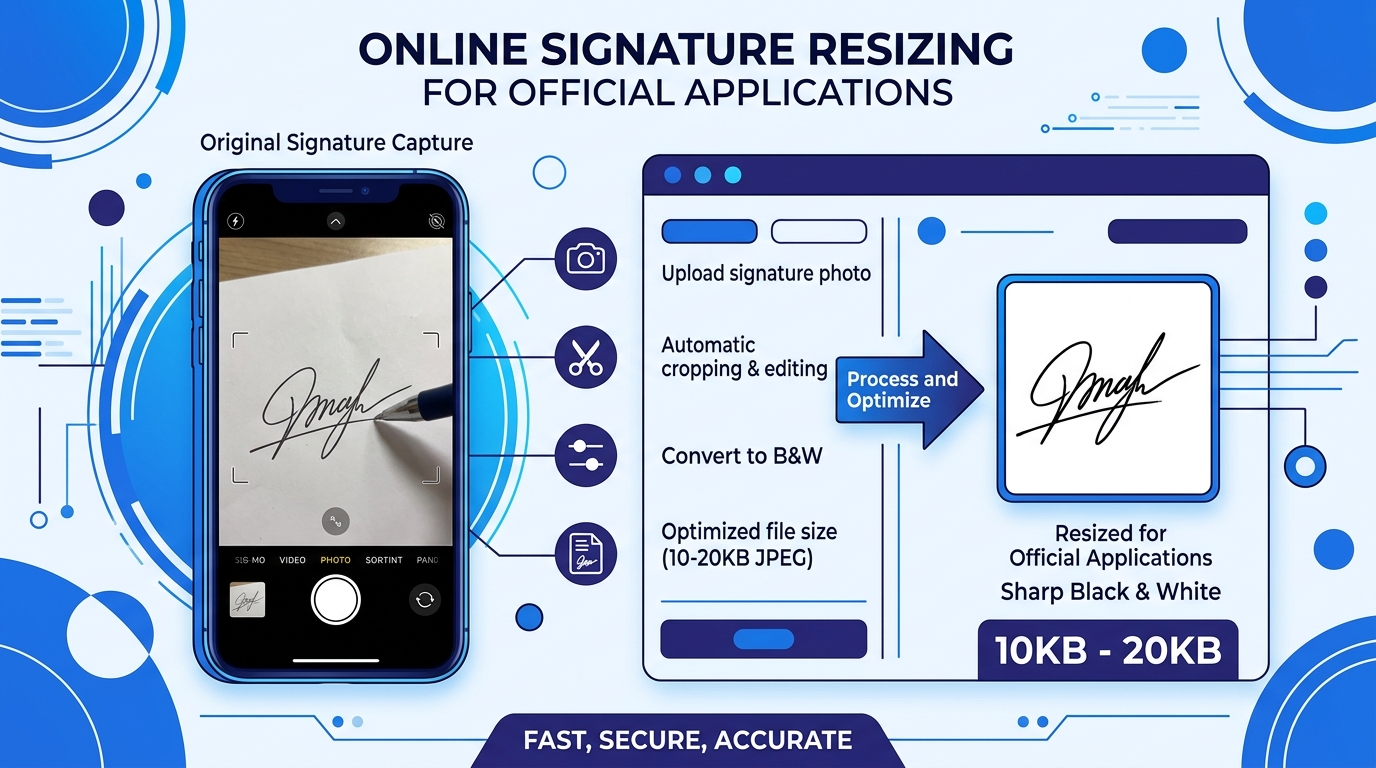
✍️ How to Prepare Your SSC Signature (10 KB to 20 KB)#
- Take a fresh sheet of clean, unruled white paper.
- Sign clearly using a black or dark blue ballpoint pen.
- Take a well-lit photo of the signature using your smartphone, ensuring there is no camera shadow over the text.
- Open the FileZenith Online Signature Maker & Resizer.
- Upload your raw signature image.
- The intelligent algorithm cleans up grey paper gradients into crisp white background and compresses the file directly into the 10 KB to 20 KB bracket.
- Click Download to receive your compliant JPEG file.
⚡ 1-Click Free Tools for SSC Applicants#
Make sure your files comply with official notification guidelines before uploading:
- SSC Photo & Signature Resizer: Auto-crops to 3.5×4.5 cm and compresses files between 20KB and 50KB.
- Online Signature Maker & Resizer: Clean, crop, and compress your signature to 10–20KB.
- Date on Photo (DOP) Generator: Stamp your full name and Date of Photograph cleanly onto your photo banner.
- Compress PDF to 200KB: Compress educational marksheets and category certificates to meet the portal upload limit.
❓ Frequently Asked Questions (FAQ)#
Can I upload an old passport photo for SSC CGL 2026?
No. The official notification stipulates that your photograph must not be older than three months from the date of the recruitment notification.
What should I do if my signature size is showing 22 KB?
Use FileZenith's Online Signature Resizer. It uses an automated binary search compression engine to shrink your signature down to 14–18 KB while preserving crisp, sharp ink strokes.
Is a mobile phone webcam acceptable for live photo capture?
Yes! You can complete the live camera verification directly through Google Chrome or Safari on an Android phone or iPhone. Ensure camera permissions are allowed in your browser settings.