
UPSC Prelims 2026: Exam Date, OTR Registration Guide, Result Updates & Official Links (upsc.gov.in)
Complete guide to UPSC Prelims 2026: Official exam date schedule, One-Time Registration (OTR) on upsconline.nic.in, UPSC Result 2025 archive links, full form overview, and 1-click photo & signature resizer tools.

Written by Aaradhya Pathak
Founder, Snab Innovations · Researched against official portal guidelines
Dimensions, file size rules, and accepted formats are verified against official portal notices. Tools on FileZenith process files directly inside your browser memory for complete privacy.
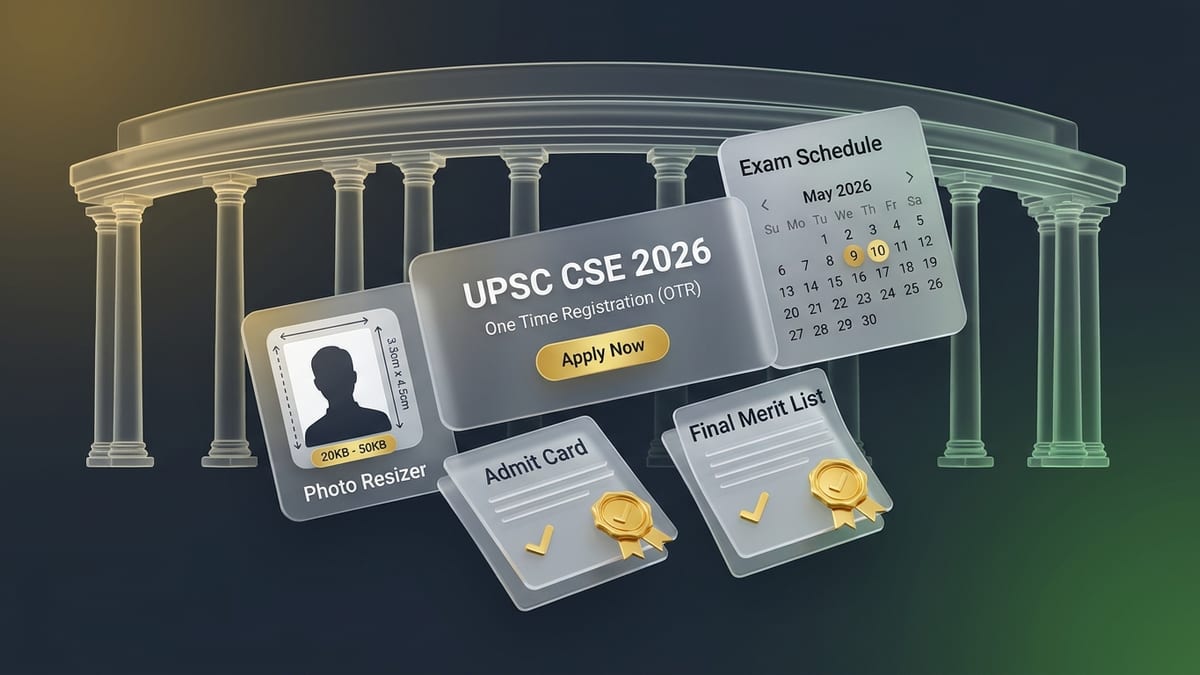
Use Tool Directly in Browser
Your files never leave your browser. 100% free, zero login required.
The Civil Services Examination (CSE) conducted annually by the Union Public Service Commission (UPSC) is widely regarded as one of the most prestigious and competitive examinations in the world. Every year, more than 10 to 12 lakh aspirants from across India register to compete for premier administrative services including the Indian Administrative Service (IAS), Indian Police Service (IPS), Indian Foreign Service (IFS), and Indian Revenue Service (IRS).
With the commencement of the UPSC Prelims 2026 cycle, candidates must navigate the commission's modernized One-Time Registration (OTR) module, verify the official UPSC exam date 2026 calendar, and format their document uploads to meet strict technical standards on upsconline.nic.in.
In this master reference guide, we explain the UPSC full form and constitutional background, detail the official schedule for UPSC Prelims 2026, provide direct verified portal links for UPSC Result 2025, and guide you step-by-step through formatting compliant photographs, signatures, and PDF identity cards using FileZenith's free in-browser tools.
🏛️ What is UPSC? Full Form, Role & Overview#
For beginners and aspirants starting their civil services preparation:
- UPSC Full Form: Union Public Service Commission (संघ लोक सेवा आयोग).
- Constitutional Mandate: Established under Part XIV, Article 315 to 323 of the Constitution of India as the premier independent recruiting agency for Central and All India Services.
- Headquarters: Dholpur House, Shahjahan Road, New Delhi – 110069.
- Major Examinations Conducted: Civil Services Examination (CSE), National Defence Academy (NDA), Combined Defence Services (CDS), Indian Forest Service (IFoS), Central Armed Police Forces (CAPF AC), Combined Medical Services (CMS), and Engineering Services Examination (ESE).
📅 Official UPSC Exam Date 2026: Key Calendar Milestones#
Bookmark this schedule based on the official annual examination programme published on upsc.gov.in:
| Recruitment Milestone | Tentative / Official Date | Official Portal Section |
|---|---|---|
| Official Notification Release | February 2026 | upsc.gov.in Notifications |
| OTR & Application Window | February to March 2026 | upsconline.nic.in Active Exams |
| Last Date to Apply Online | First week of March 2026 (6:00 PM) | upsconline.nic.in |
| Application Correction Window | 7 days following registration close | upsconline.nic.in |
| E-Admit Card Release | 2 to 3 weeks before the exam | upsconline.nic.in |
| UPSC Prelims 2026 Exam Date | May 2026 (Sunday) | Nationwide examination centres |
| UPSC Prelims Result Announcement | June 2026 (approx. 20 days post-exam) | Official PDF Roll Number List |
| UPSC Mains 2026 Exam Date | September 2026 (5-day written test) | Dholpur House schedule |
📜 How to Check Previous Cycles: UPSC Result 2025 Archive#
Candidates tracking merit lists, previous year cut-off scores, or roll-number PDF announcements from the previous recruitment cycle can access official commission archives directly:
- Visit the official commission portal at
upsc.gov.in. - In the top navigation menu, click on Examination → Active Examinations or Written Results.
- Under the Civil Services Examination section, click on the UPSC Result 2025 (Final / Written / Cutoff) download link.
- Open the official PDF file and use
Ctrl + F(orCmd + Fon Mac) to search for your 7-digit roll number or candidate name.
Direct link to official results: upsc.gov.in Examination Results
💻 Step-by-Step Guide: One-Time Registration (OTR) on upsconline.nic.in#
The commission has made One-Time Registration (OTR) mandatory for all exams. You only need to register your basic profile once; your OTR ID remains valid for life.
Step 1: Create Your OTR Profile
Visit upsconline.nic.in and click on New Registration. Fill in your legal name as printed on your Class 10th (Matriculation) certificate, father's name, mother's name, date of birth, mobile number, and active email address.
Step 2: Set Security Questions & Password
Complete OTP authentication sent to your mobile and email. Save your permanent 14-digit OTR ID in a secure location.
Step 3: Fill the Civil Services (Prelims) Application
Log in using your registered OTR ID or Mobile Number. Select Civil Services (Preliminary) Examination 2026 and choose your preferred examination centre.
Step 4: Upload Mandatory Photograph, Signature & ID Proof
This is the single most critical step where thousands of application forms face rejection. Ensure your files adhere to the strict technical parameters detailed below.
📐 Official UPSC Photo, Signature & Document Specifications#
The automated validation engine on upsconline.nic.in rejects files that deviate by even a single pixel or kilobyte:
| Parameter | Passport Photograph | Handwritten Signature | Photo ID Proof (Aadhaar / PAN) |
|---|---|---|---|
| Allowed File Format | JPG / JPEG only | JPG / JPEG only | PDF format only |
| Pixel Dimensions | 350 × 350 px (min) to 1000 × 1000 px (max) | 350 × 350 px (min) to 1000 × 1000 px (max) | Standard A4 / Legal scan |
| Aspect Ratio | Exact 1:1 (Square aspect ratio) | Exact 1:1 (Square aspect ratio) | Vertical Portrait PDF |
| Strict File Size Limits | 20 KB to 300 KB | 20 KB to 300 KB | 20 KB to 300 KB |
| Visual Rules | Plain white or light neutral background; face covering 75% | Black ink ballpoint pen on plain white paper | Clear, unblurred text; no password protection |
⚡ 1-Click Free Tools to Format Your UPSC Files (100% Client-Side)#
Do not struggle with complex photo editing software. FileZenith provides free, private tools engineered specifically for UPSC upload limits:
- UPSC Photo Resizer: Auto-scales your picture to exact 350×350 pixel square dimensions and compresses the file size between 20 KB and 300 KB.
- UPSC Signature Resizer: Cleans dark shadows off paper scans and formats your signature into compliant 20 KB to 300 KB square JPEG format.
- Compress PDF to 200KB: Compresses your scanned Aadhaar Card, Passport, or Voter ID into a clean PDF document under 200 KB / 300 KB without unreadable text blur.
- Combine Marksheets into One PDF: Merge your semester marksheets and degree certificates into one clean PDF file.
🔗 Official Verified Directory: UPSC Portals & Important Links#
Always verify that you are accessing official government servers (.gov.in or .nic.in):
| Resource | Official Destination URL | Purpose |
|---|---|---|
| Official UPSC Main Website | https://upsc.gov.in | Annual calendar, press releases, tender notices, syllabus PDFs |
| UPSC Online Application Portal | https://upsconline.nic.in | OTR registration, Prelims/Mains online form submissions, admit cards |
| UPSC OTR Direct Login | https://upsconline.nic.in/upsc/OTRP/ | Profile updates, dashboard, OTR verification |
| Previous Question Papers Archive | https://upsc.gov.in/examinations/previous-question-papers | Official UPSC Prelims previous 10-year question papers (GS & CSAT) |
| UPSC Official Helpdesk | Facilitation Counter: 011-23385271 / 011-23098543 | Candidate assistance during business hours (10:00 AM – 5:00 PM) |
❓ Frequently Asked Questions (FAQ)#
What is the full form of UPSC?
The full form of UPSC is the Union Public Service Commission. It is the constitutional recruitment authority of India established under Article 315.
What is the official UPSC Prelims 2026 exam date?
As per the tentative examination schedule announced by the commission, the UPSC Civil Services (Preliminary) Examination 2026 is scheduled to be held on Sunday in May 2026.
Where can I check the UPSC Result 2025?
Candidates can download the official UPSC Result 2025 PDF merit list directly from the examination results archive on the official website at upsc.gov.in/examinations/examination-results.
What are the photo dimensions for UPSC OTR registration?
UPSC requires a square aspect ratio photograph with minimum pixel dimensions of 350 × 350 pixels and maximum of 1000 × 1000 pixels, with a file size strictly between 20 KB and 300 KB in JPG/JPEG format.
Why do government portals reject photos with spectacles?
Even transparent prescription glasses reflect camera flash, causing lens glare that obscures the eyes and iris patterns. The automated facial recognition software used by UPSC flags this as unreadable, leading to application rejection.
Official Disclaimer: FileZenith is an independent educational utility platform developed to assist students with browser-based document preparation. FileZenith is not affiliated with, endorsed by, or associated with the Union Public Service Commission (UPSC) or any government department. For official notifications, recruitment rules, and form submissions, candidates must always verify details at the official portal: upsc.gov.in.
Explore Related FileZenith Tools
- 🏛️ What is UPSC? Full Form, Role & Overview
- 📅 Official UPSC Exam Date 2026: Key Calendar Milestones
- 📜 How to Check Previous Cycles: UPSC Result 2025 Archive
- 💻 Step-by-Step Guide: One-Time Registration (OTR) on upsconline.nic.in
- 📐 Official UPSC Photo, Signature & Document Specifications
- ⚡ 1-Click Free Tools to Format Your UPSC Files (100% Client-Side)
- 🔗 Official Verified Directory: UPSC Portals & Important Links
- ❓ Frequently Asked Questions (FAQ)